
What YAN can do
Everything you need for astrophotography in one app for a phone or tablet.
Sky map and target choice
An interactive sky map with the Milky Way, constellations, a grid and object catalogues (Messier, NGC, IC, Sharpless, LBN, LDN and more). The map shows real photos of objects and the frame of your telescope and camera, so you see right away how the object fits on the image.
- tap to select an object, double tap to centre it on the map
- the “Go To here” button points the mount there
- best targets tonight: highest now, longest visible and highest at night, with an altitude chart for the whole night, the meridian crossing time and the time above 30°
- takes the observing site horizon (trees, buildings) into account
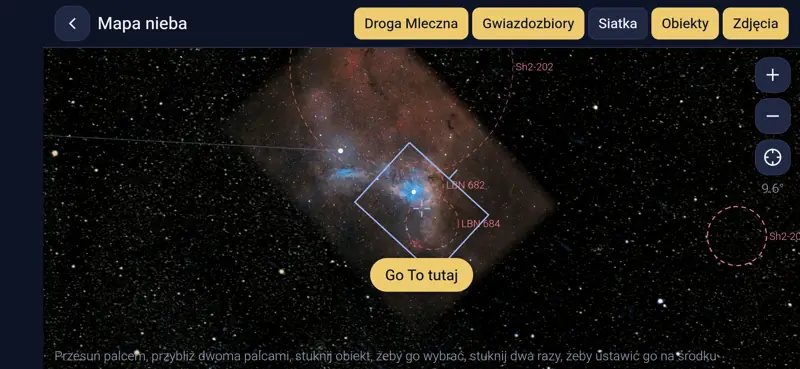
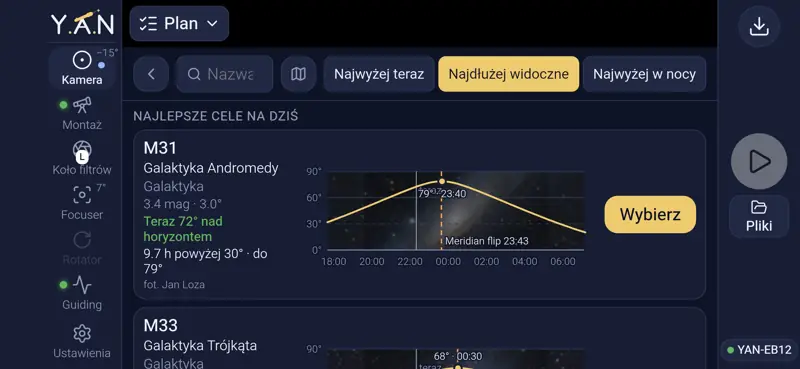
Plate solving, GOTO and centering
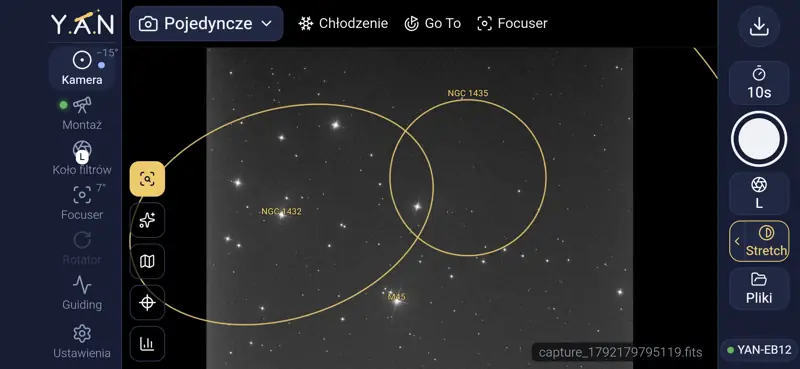
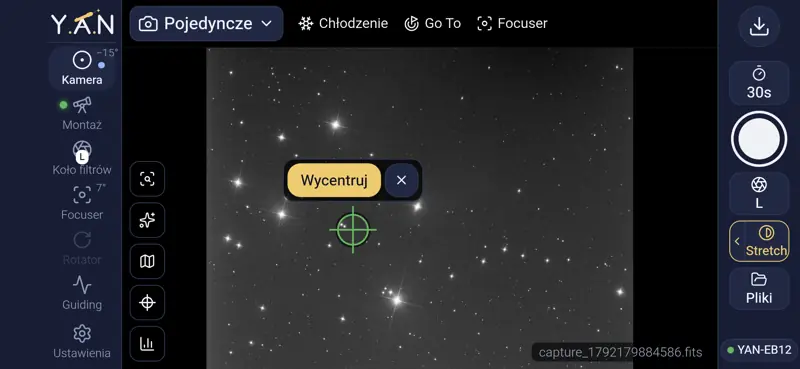
YAN recognises where on the sky the camera is looking (plate solving) within seconds and without internet: the star database is on the device. After GOTO the mount corrects itself until the target is in the centre of the frame.
- object labels on the image from the catalogues you choose: galaxies, nebulae, clusters, dark nebulae
- “Centre” on any point of the image: tap a spot and the mount puts it in the centre
- measured focal length and image scale from every solve
Polar alignment
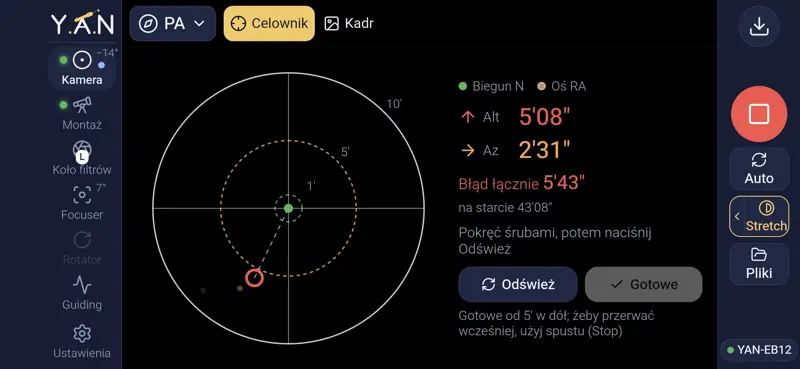
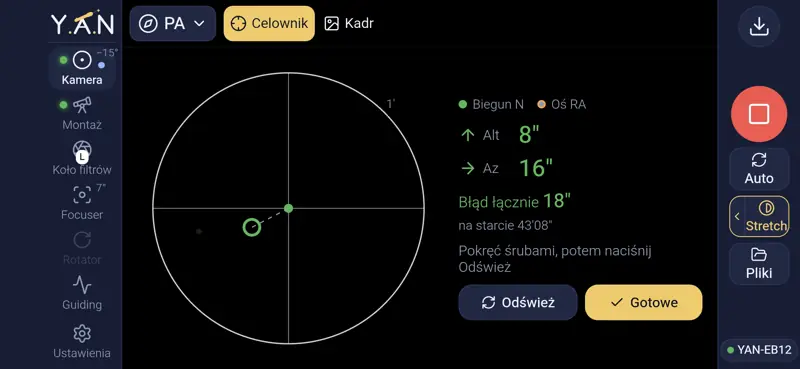
Step-by-step alignment of the mount axis, also when Polaris is not visible. The mount rotates in RA and takes images by itself, and YAN computes the axis error and shows which way and how much to turn the Alt and Az knobs.
- two methods: pole view (two images) and three points
- live error after every adjustment, with the pole and the mount axis marked
- an error below one arcminute in a few minutes
Focus and autofocus
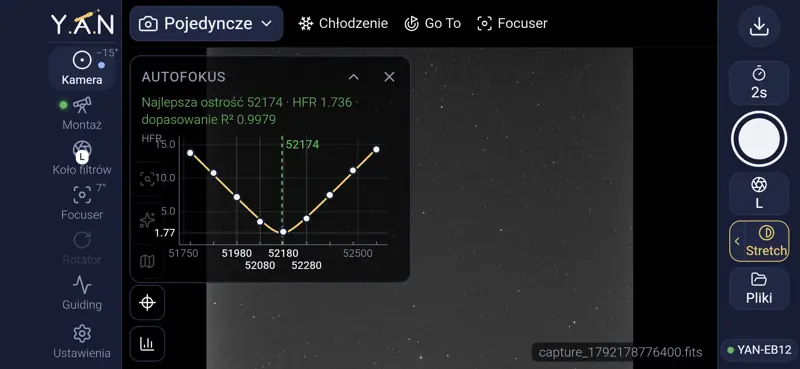
Autofocus with an electronic focuser: YAN takes a series of images at different positions, measures the star size (HFR), fits a curve and the focuser moves to the best position, with backlash compensation.
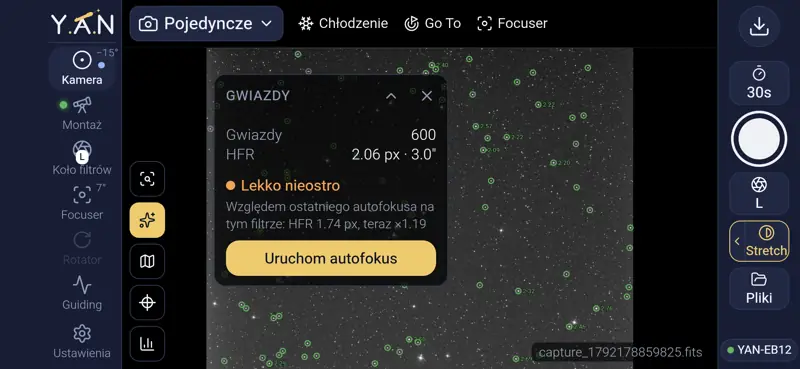
- the Stars tool: the number of stars and HFR on the current image and a hint whether focus has drifted
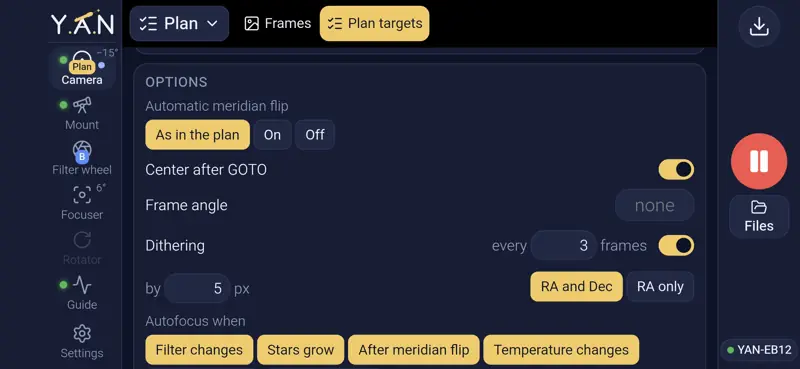
- in plans autofocus runs by itself on a filter change, growing stars, after a flip, a temperature change or every N frames or minutes
- focus offsets for every filter
Guiding
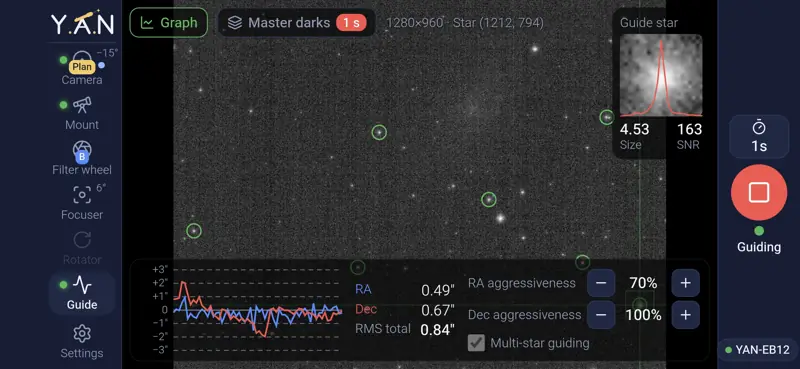
Guiding based on PHD2, built into YAN: no separate program, remote desktop or setup. Calibration, multi-star guiding, dithering between frames and a dark library for the guide camera.
- guide camera preview with the guide star, its profile, size and SNR
- RA and Dec graph with RMS and aggressiveness settings
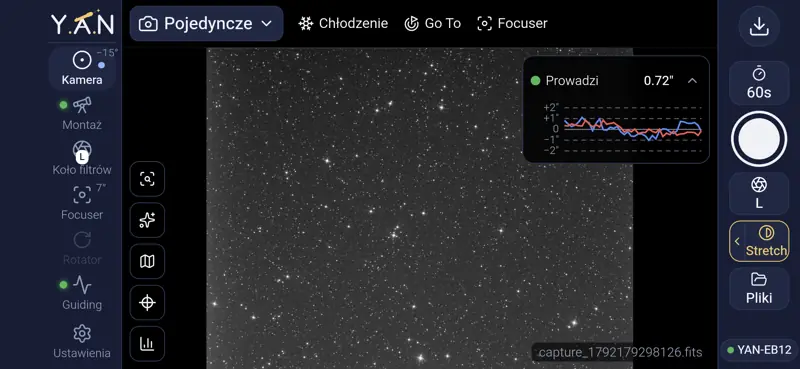
- a small guiding graph over the images, so you see the guiding while imaging
Session plans
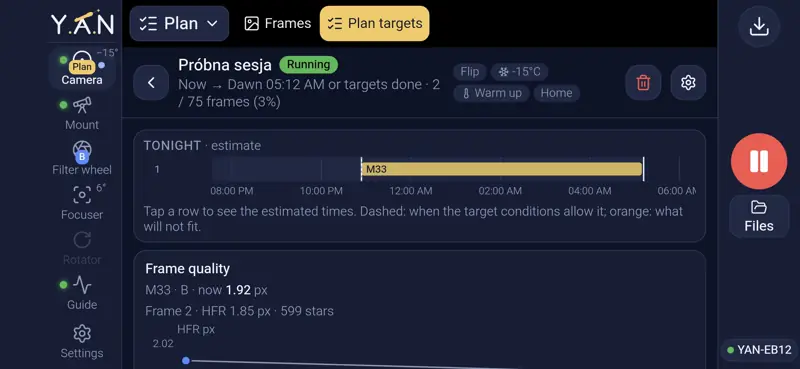
A plan is the whole night set up in advance: targets, filters, exposure times and frame counts. YAN does the GOTO, centring, focusing, starts guiding, flips at the meridian and switches targets by itself. Start the plan and go to sleep.
- a night timeline estimating when each target is imaged, with a warning about what does not fit
- start now, at a time or at dusk; end at dawn, at a time or when the targets are done
- camera cool-down before the start and warm-up after the session, parking at the end
- dithering, autofocus by conditions and frame grading: weak frames (stars too large, too few stars) can be retaken
Field inspector
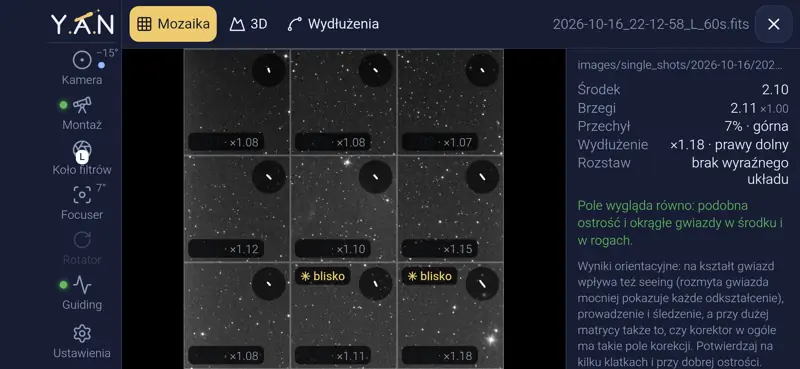
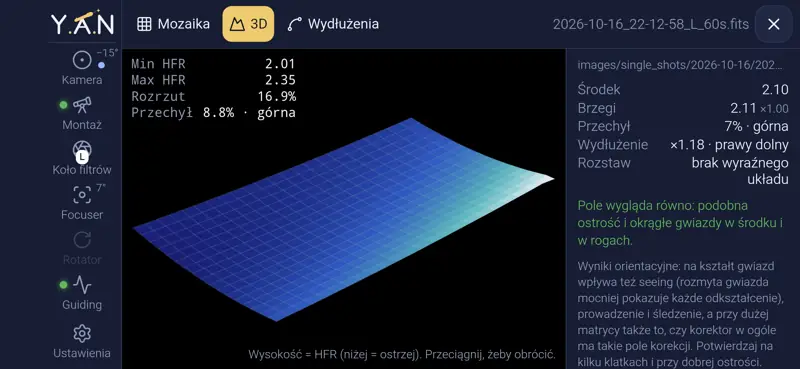
Optics assessment on a single image: YAN splits the frame into tiles and compares star size and shape in the centre and in the corners. It shows field curvature, sensor tilt and star elongation, the typical signs of a wrong corrector spacing or a tilted camera.
- a mosaic of tiles from the corners and the centre
- a 3D map of star size across the frame
- direction and strength of star elongation, with a hint at the possible cause
Equipment
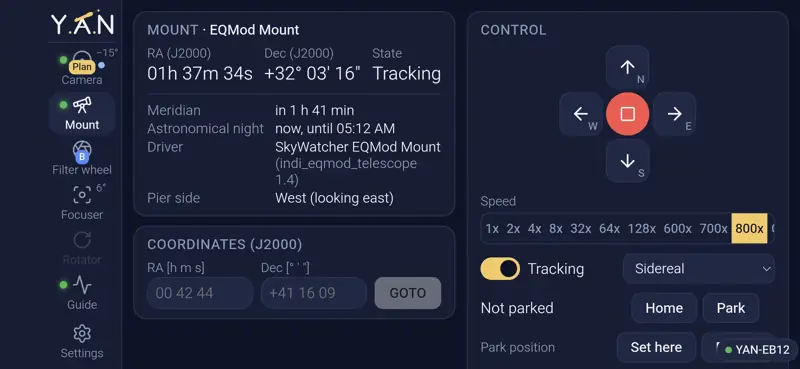
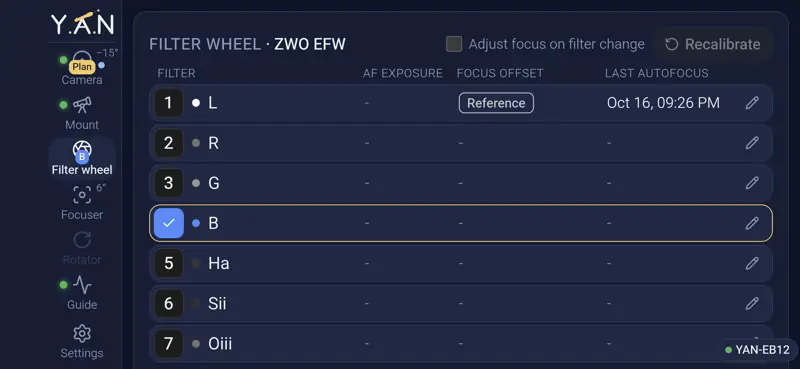
Full control of each device on its own screen: mount (manual moves with speeds, GOTO, parking, tracking, pier side), filter wheel (names, colours, focus offsets), focuser (position, backlash, temperature), rotator and camera cooling.
- any INDI equipment: astro cameras (ZWO, QHY, Atik and more), Canon and Nikon DSLR and mirrorless cameras, EQMOD and other mounts, filter wheels, focusers, rotators
- filter focus offsets measured by autofocus, with a reference filter
- focuser backlash compensation
Files and frame grading
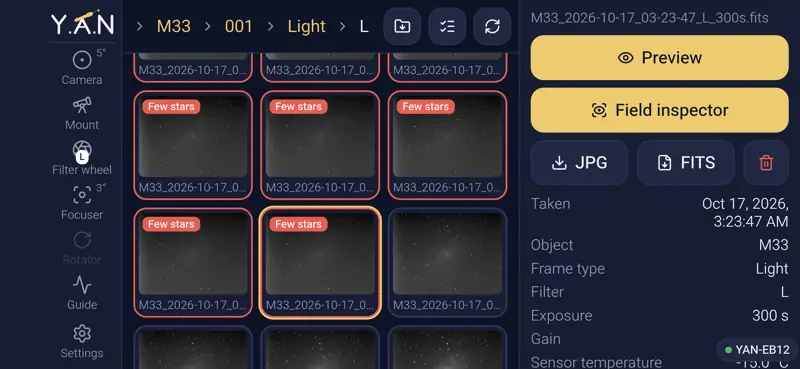
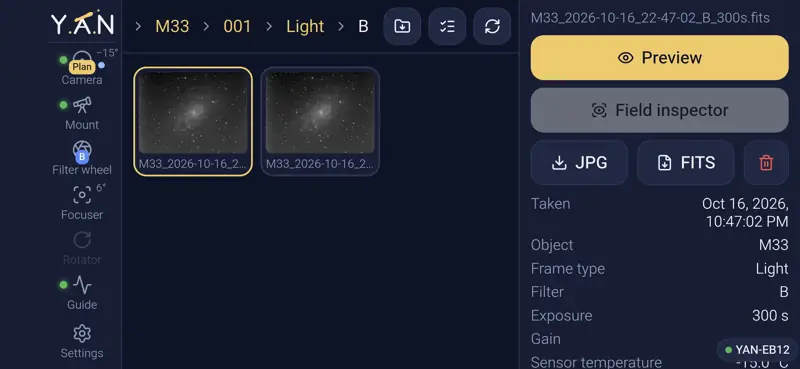
An image library on the device, organised in folders: single shots, plans (by target, frame type and filter), calibration frames and planetary recordings. Every plan frame is graded, so bad frames show up in the list right away, without opening them on a computer.
- bad frame marks: “Blurred” (stars clearly larger than after autofocus) and “Few stars” (clouds, haze, dew), with thresholds set in the plan and an option to retake bad frames
- frame details from the FITS header: object, frame type, filter, exposure, gain, sensor temperature
- preview, field inspector, object labels and “Go to framing”: the mount returns to a saved frame
- selecting many frames, deleting and downloading JPG, FITS or a whole folder as ZIP
Click a screenshot to enlarge it.